
What’s the best PC or laptop you can get?
Whether you have a home office or fully-staffed headquarters, your office is the heart of your business and it’s where you manage your engineers from…
But how do you choose the right computer to manage everyday tasks and admin?
It’s essential to make sure both reliable hardware and powerful job management software underpin your business operations.
This doesn’t mean you need to break the bank though.
And while yes, the cost usually represents quality when it comes to computers, we have a variety of budget-friendly recommendations to suit businesses of all shapes and sizes.
Just like we’ve shared in our other posts on the best mobile phones and the best tablets for field engineers, there are a couple of things that you should take into consideration before purchasing a new computer:
- What PC or laptop specifications should I aim for?
- What will you use your PC or laptop for?

What PC or Laptop Specifications Should I Aim For?
Firstly, just like choosing any other hardware, you need to think about the specifications. For computers, we recommend the following as a solid baseline to aim for:
Processor: Intel Core i7 or equivalent
RAM: 16GB
Operating system: must be supported, have a valid licence and meet OS hardware requirements
Browser: Google Chrome (recommended), Microsoft Edge, or Safari – must be on the latest version
Resolution: minimum screen resolution of 1280 x 768px
These specifications cover PC/Laptops with Windows & iMac/Macbooks with MacOS.
Although the minimum specifications to run Commusoft are lower than those above (8GB of RAM and an i5 processor), it’s always best to go above and beyond the minimum requirement. This ensures you will get a reliable performance that will continue to support your services into the future.
Whether your office staff is tracking live locations, scheduling jobs, importing large parts lists, or raising invoices, they’re central to your business and need hardware that performs above minimum requirements.
What Will You Use Your PC or Laptop For?
Not everybody uses their computer for the same reasons.
It seems obvious, but the more you require from your computer, the more powerful it needs to be.
For example, let’s say your computer can handle you running job management software, Microsoft Office, and a web-based email client. What if you throw in Sage 50cloud or QuickBooks Desktop, too?
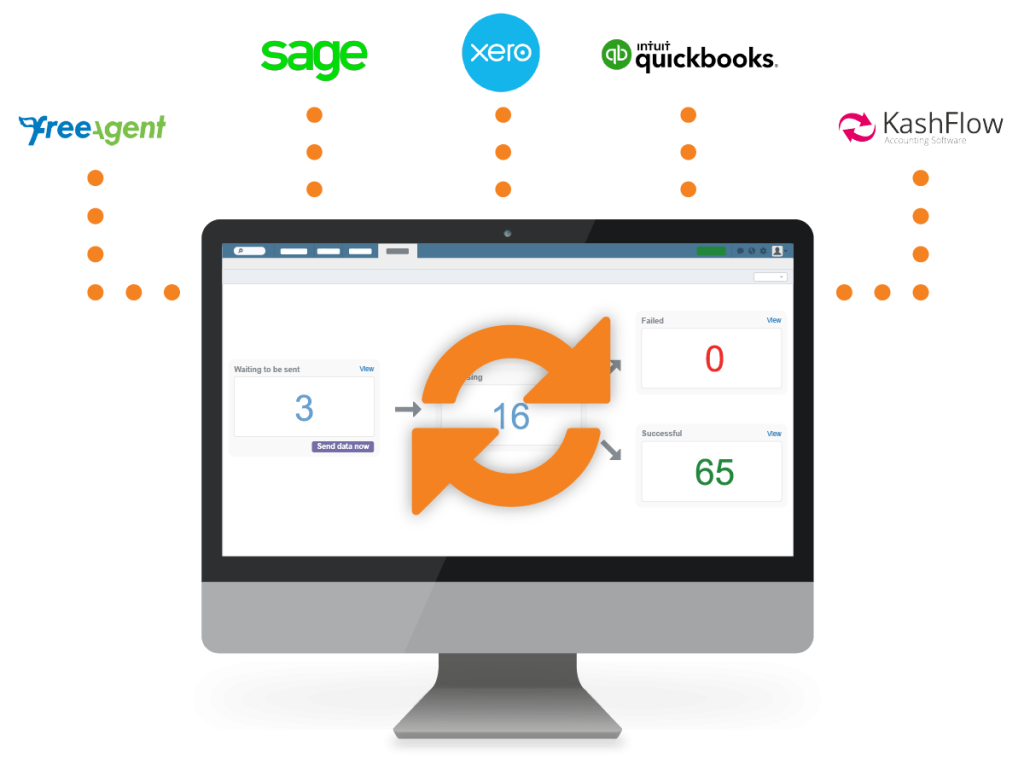
Or how about managing hundreds of emails per day with Outlook Desktop?
That’s not even considering marketing or sales, who might use design tools, like Photoshop…
Different software takes up varying amounts of processing power and minimum specifications will struggle to support your needs if you go too low on your device’s specs.
As you start taking on more tools and software, you may find your computer slowing down or becoming less reliable, especially if you skimped on the specs at the start.
That’s why it’s best to go for recommended (or higher) specifications and invest in hardware that really can go the distance.
Remember: Don’t just think about whether your hardware will do the job today, but consider how it will handle your workload for at least 2-3 years, and perhaps longer, too.
The Best PC and Laptop Devices We Recommend
When purchasing new computers to run the software for your engineers, it’s always good to know how they run, i.e. a web-based application (like Commusoft) or a desktop application.
- Desktop applications will ultimately take up more memory as you will need to download them to your computer.
- For web-based applications, you can run software on any type of computer that supports browsers like Google Chrome (our recommended browser), Safari, Firefox, or Edge.
With our PC and laptop hardware recommendations below, we’ve also included a price and link to a retailer. However, you may find better prices by shopping around and ultimately, it’s up to you which type of operating system you choose.
Note: if you’re purchasing lots of devices, it’s worth seeing if the seller offers business pricing or bulk order discounts.
The Best PCs & Desktops
If your staff only work from the office then you may prefer to buy desktop computers.
You are now able to buy all-in-one PCs which is where the computer is built into the screen itself. Alternatively, you can buy small and compact desktops that take up minimal room and act as reliable alternatives to traditional, bulkier towers.
Let’s take a look at a few.
Dell Tower Desktop ECT1250
Price: £669 – Dell
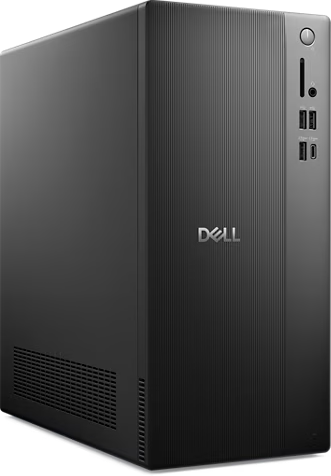
- Style: Tower PC
- System: Windows 11
- Processor: Intel® Core™ i7 14700
- RAM: 16GB
- Storage: 1TB SSD
Pros: large, instant SSD storage | compact, space saving design | fast speeds and great for multi-tasking
Cons: requires Windows Pro upgrade | basic graphic performance
Lenovo IdeaCentre AIO
Price: £749 – Currys
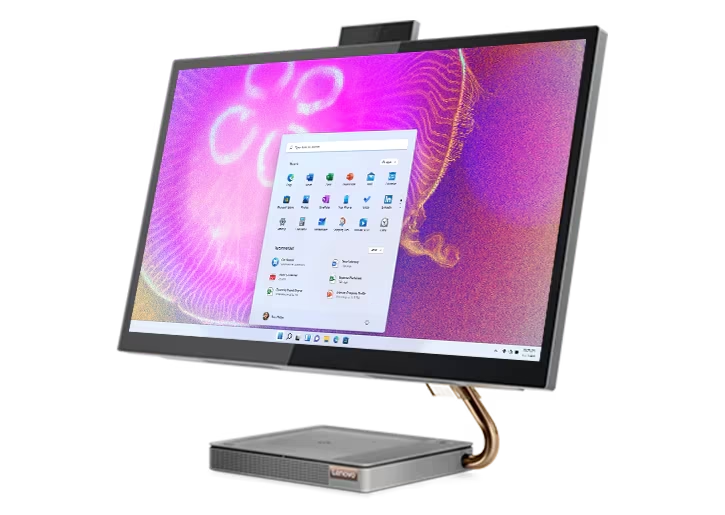
- Style: all-in-one desktop
- System: Windows 11
- Processor: Intel® Core™ i7-13620H
- RAM: 16GB
- Storage: 1TB SSD
Pros: clean design saves space | huge, sharp screen | top performance
Cons: hard to upgrade | more complex to repair
Apple iMac 24-inch (M4)
Price: £1,699 – Currys
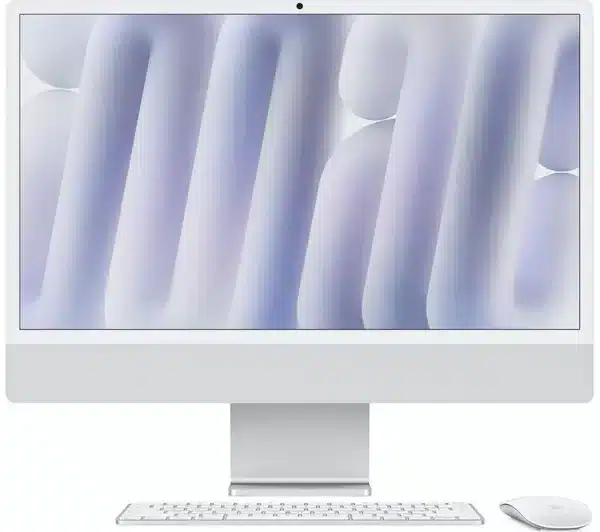
- Style: slim desktop
- System: macOS
- Processor: Apple M4 chip
- RAM: 16GB
- Storage: 512GB SSD
Pros: high M4 chip performance | stunning 4.5k retina display | sleek design
Cons: higher starting price | may require a learning curve for Windows users
Dell Precision 3680 Tower
Price: £1,282 – Servers Direct
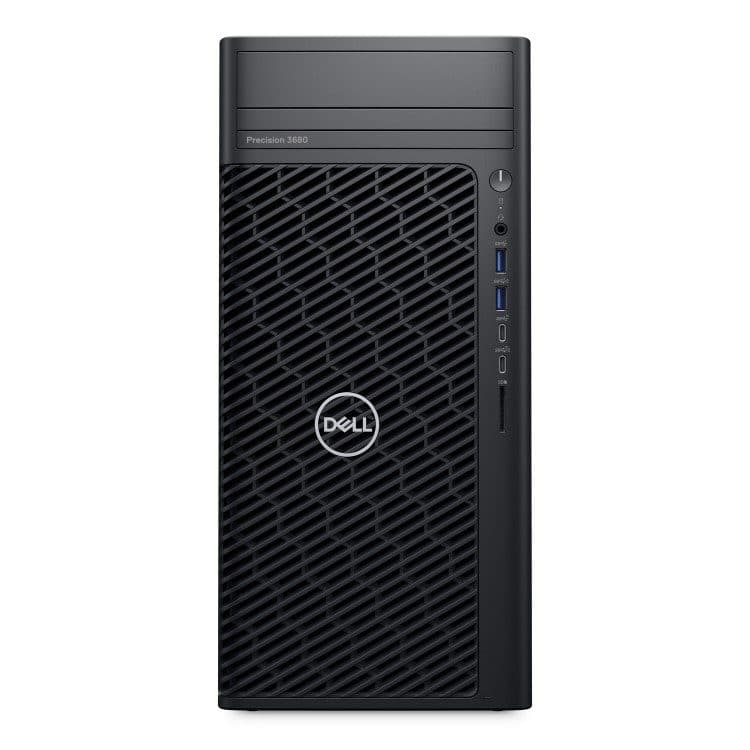
- Style: Tower PC
- System: Windows 11 Pro
- Processor: Intel® Core™ i7-14700
- RAM: 16GB
- Storage: 512GB SSD
Pros: very reliable and durable | stays cool when working hard | easy to upgrade parts later
Cons: higher starting price than consumer PCs
The Best Laptops
With the added benefit of being portable, and now with many more people working in a hybrid environment, laptops dominate the computer market.
You can also easily pair them with an additional monitor for those spending all day scheduling jobs and managing diaries!
Lenovo ThinkPad X1 Carbon Gen 13
Price: £1,292 – Lenovo
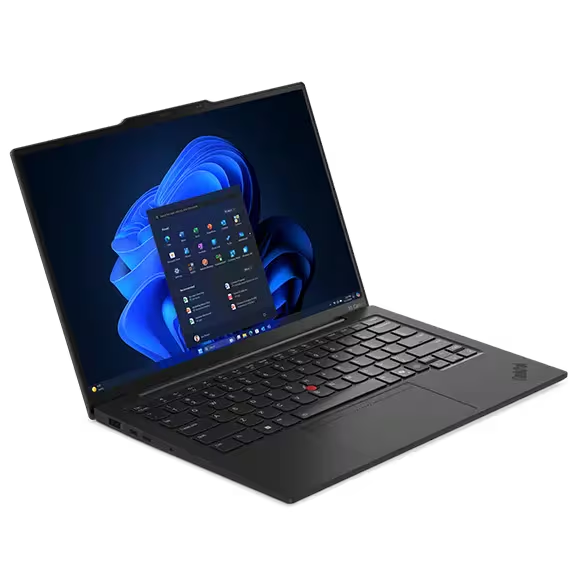
- System: Windows 11 Pro
- Processor: Intel® Core™ Ultra 5 225U Processor
- RAM: 16GB
- Storage: 256GB
- Display: 14″
- Resolution: Full HD 1920 x 1200p
- Battery life: 11-14 hours
Pros: extremely lightweight (under 1kg) | excellent business durability
Cons: premium pricing | RAM is soldered (can’t be upgraded later)
Dell Pro 14 PC14250
Price: £976 – Currys

- System: Windows 11 Pro
- Processor: Intel® Core™ Ultra 7
- RAM: 16GB
- Storage: 512GB SSD
- Display: 14″
- Resolution: Full HD 1920 x 1200p
- Battery life: 16-21 hours
Pros: robust security features | great durability for fleet deployment | lighter than previous models
Cons: design is more functional than stylish
Find out more about Commusoft
Taking advantage of field service management software is one of the best ways to streamline your business and keep everyone in sync.
When paired with the proper PCs or laptops for your team, switching to Commusoft can become the long-term solution you need to manage and grow your company.
Learn more by scheduling a call with our team, today!





 English (United States)
  English (UK)