Go Paperless. Standardize Excellence.
Replace messy paper forms and inconsistent processes with integrated Digital Forms software. Build powerful custom forms, guide technicians through every job, and deliver a professional job report to your customers, all in one place.

Ensure Perfect Work, Every Time
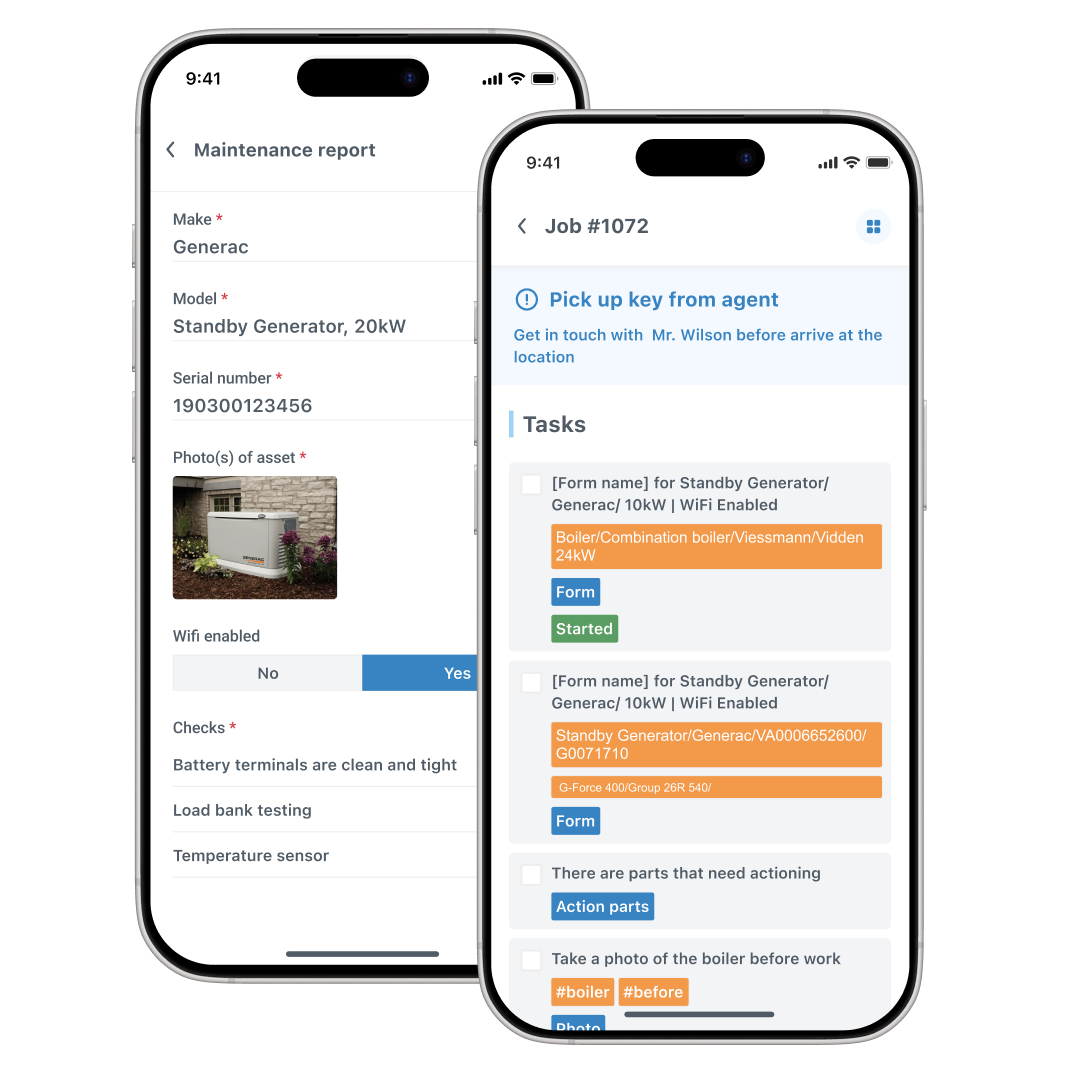
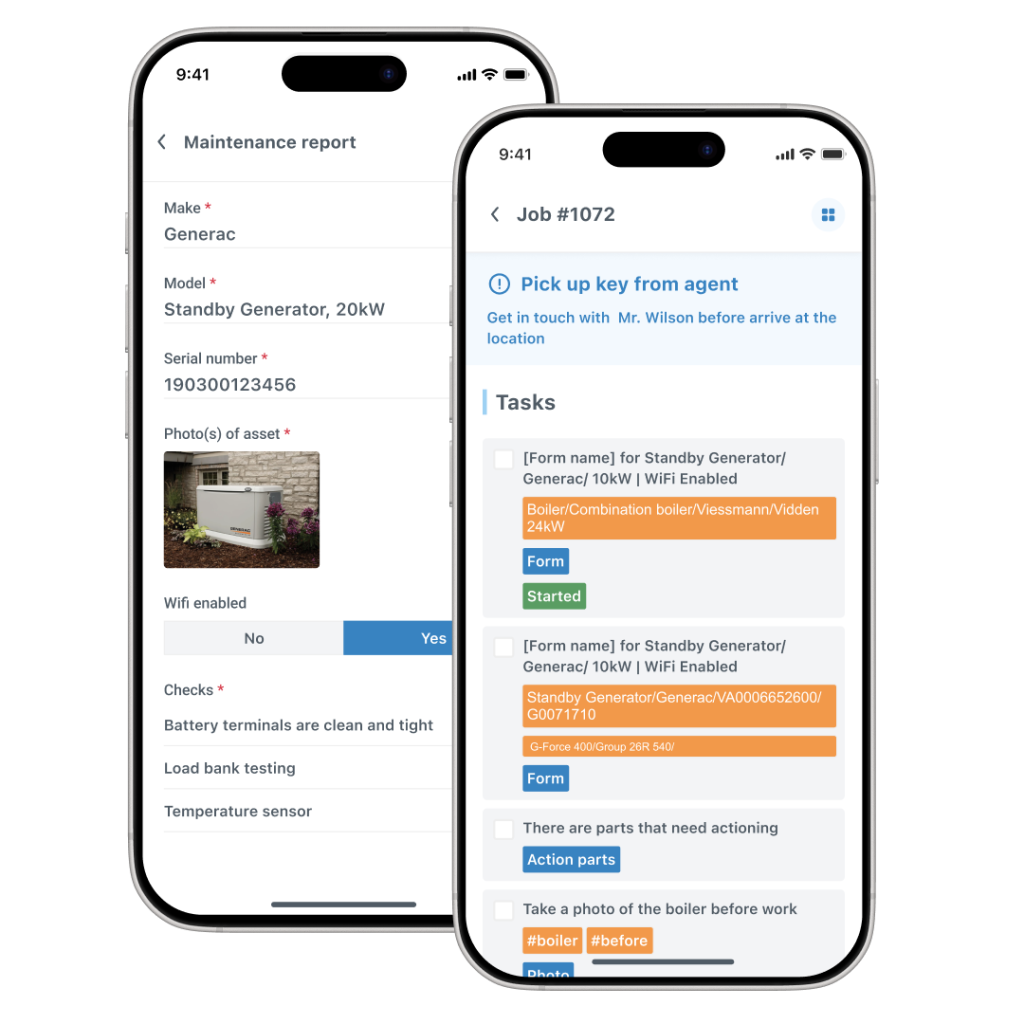
Guide Technicians with On-site Tasks
Embed your company’s gold-standard processes directly into the workflow for every job. On-site tasks are more than just a checklist; they are a step-by-step guide that ensures no part of a complex service is ever missed, improving quality, safety, and consistency across your entire team.
Build Any Form for Any Job
Our powerful form builder allows you to create unlimited custom forms for any situation. From pre-work safety assessments and site surveys to customer satisfaction forms and preventative maintenance checklists, you can build exactly what you need to capture the right information on every visit.
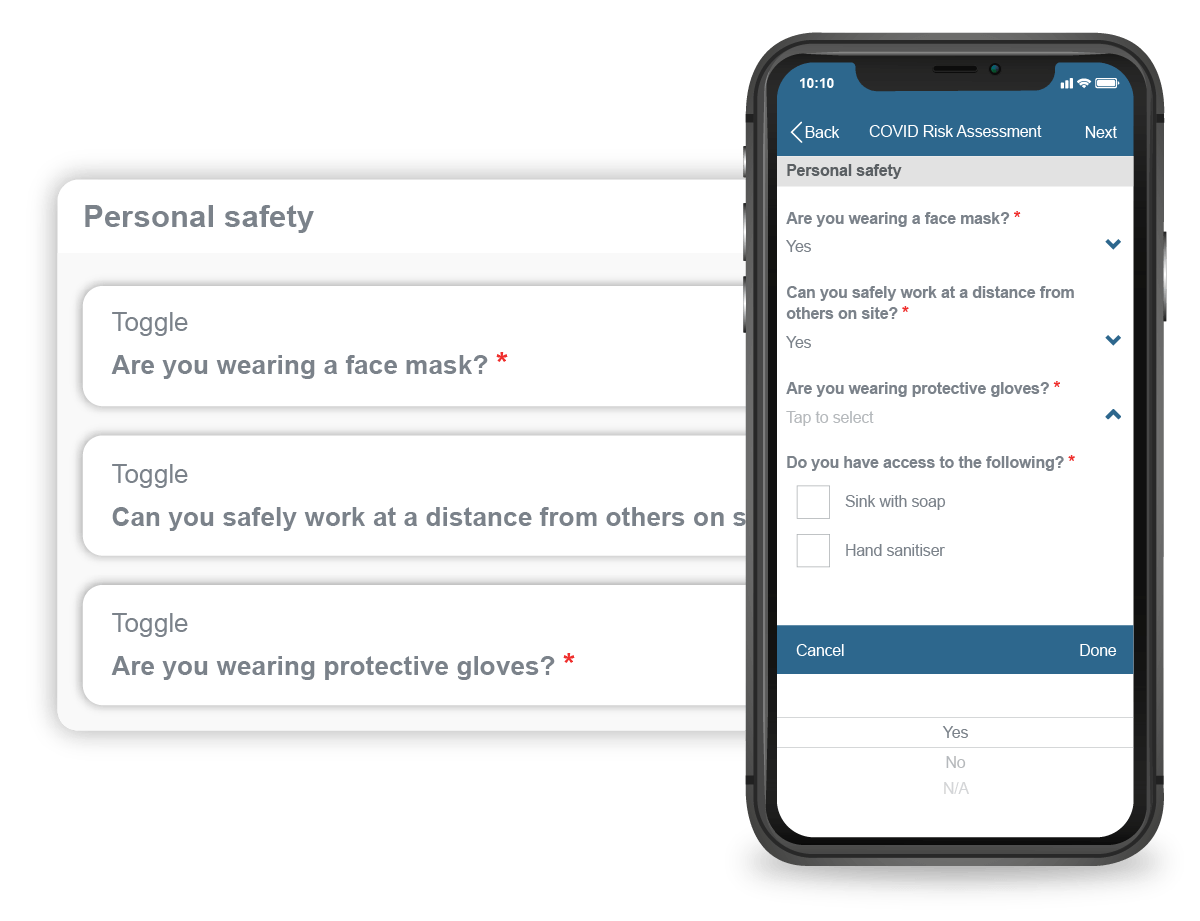
Automate Critical Safety Questions
Enforce safety and compliance protocols automatically. With job arrival/leave questions, you can configure the mobile app to prompt technicians with mandatory questions upon arriving at or before leaving a job site. This ensures critical risk assessments are always completed and documented.

Guide Technicians with On-site Tasks
Embed your company’s gold-standard processes directly into the workflow for every job. On-site tasks are more than just a checklist; they are a step-by-step guide that ensures no part of a complex service is ever missed, improving quality, safety, and consistency across your entire team.

Build Any Form for Any Job
Our powerful form builder allows you to create unlimited custom forms for any situation. From pre-work safety assessments and site surveys to customer satisfaction forms and preventative maintenance checklists, you can build exactly what you need to capture the right information on every visit.

Automate Critical Safety Questions
Enforce safety and compliance protocols automatically. With job arrival/leave questions, you can configure the mobile app to prompt technicians with mandatory questions upon arriving at or before leaving a job site. This ensures critical risk assessments are always completed and documented.
Embed your company’s gold-standard processes directly into the workflow for every job. On-site tasks are more than just a checklist; they are a step-by-step guide that ensures no part of a complex service is ever missed, improving quality, safety, and consistency across your entire team.
Our powerful form builder allows you to create unlimited custom forms for any situation. From pre-work safety assessments and site surveys to customer satisfaction forms and preventative maintenance checklists, you can build exactly what you need to capture the right information on every visit.
Enforce safety and compliance protocols automatically. With job arrival/leave questions, you can configure the mobile app to prompt technicians with mandatory questions upon arriving at or before leaving a job site. This ensures critical risk assessments are always completed and documented.
Deliver Professional, Branded Job Reports
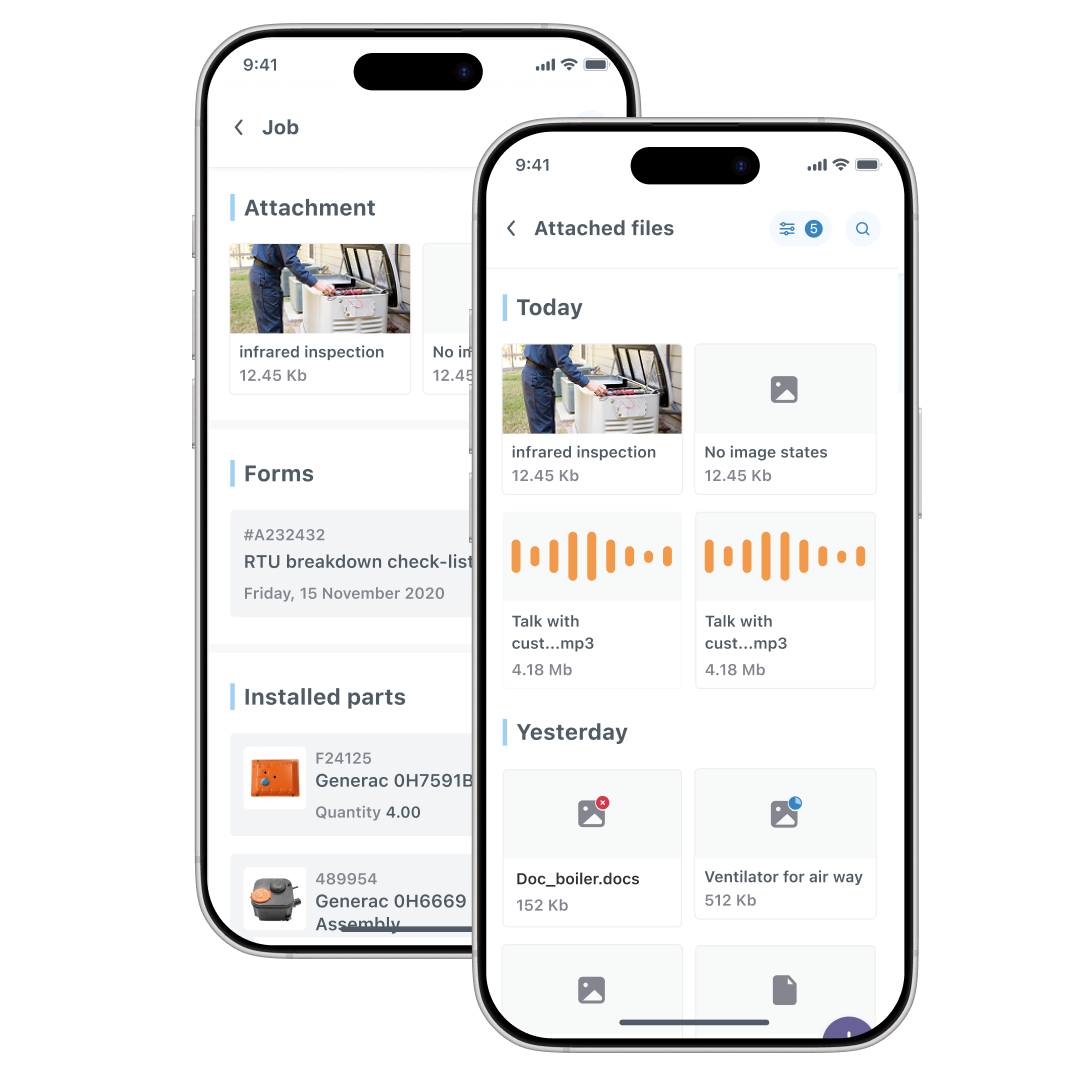
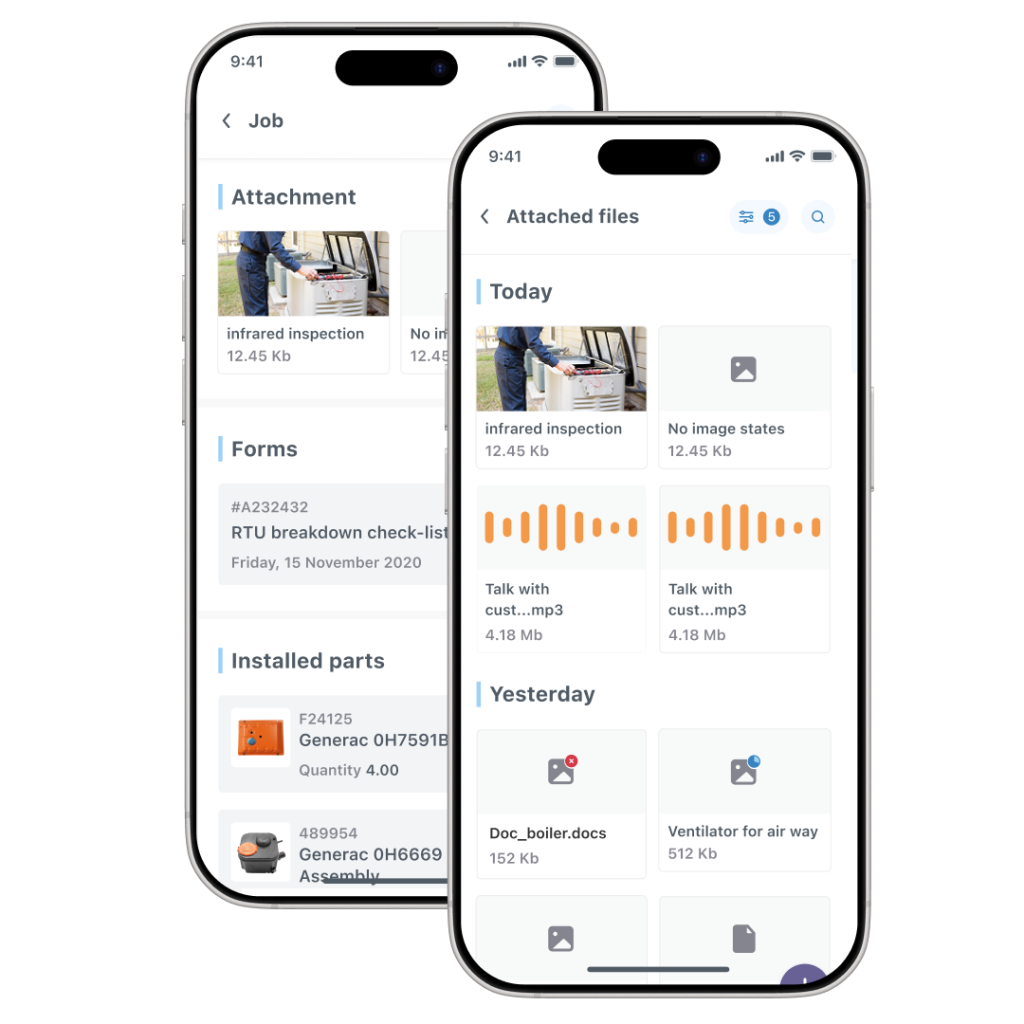
Elevate your brand and provide exceptional value to your customers. All the data, notes, photos, and signatures captured in your digital forms are automatically compiled into a single, professional job report. This branded PDF can be instantly emailed to the client upon job completion, providing them with a comprehensive and impressive record of the work performed.

What we find really useful is how you can just tweak and tailor make it for each job type. Our engineers are instructed that they have to take a picture with a dust sheet down. You can't pass that first stage in the workflow until you take that picture, and that means that our standards are met every time.
Maintain a Secure, Searchable Digital Archive
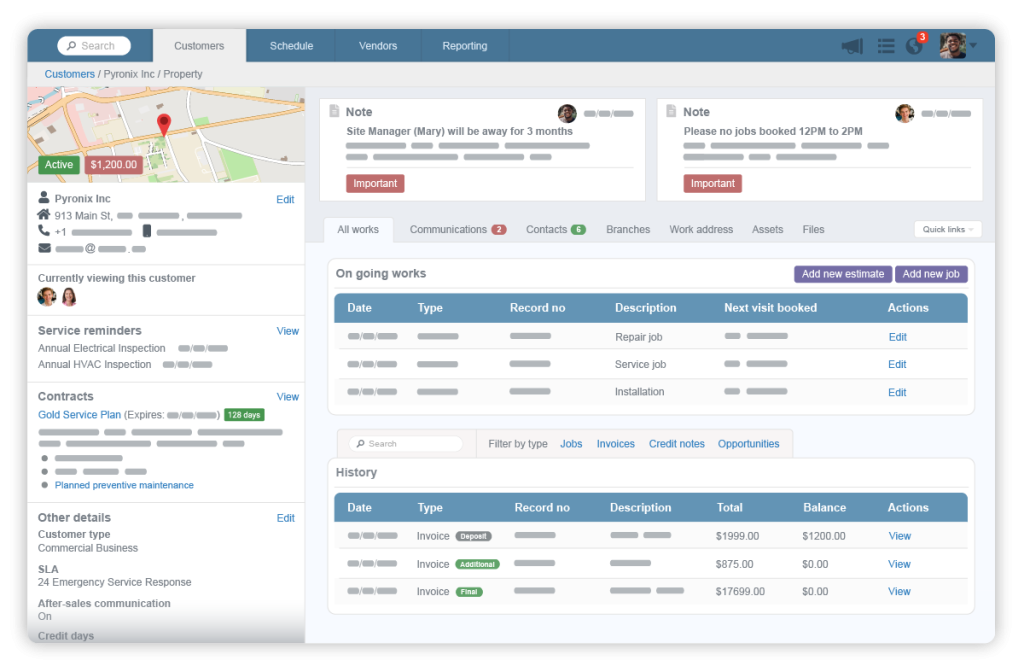
Stop wasting time digging through filing cabinets. Our digital forms software creates a secure, centralized archive of every completed form, permanently tied to the job and customer record. This makes it incredibly easy to find past reports, resolve client disputes, and access detailed compliance documentation. The high-level data can also be used for insightful reporting on your operations.
Standardize Processes, Eliminate Paperwork
Replace paper checklists with powerful digital forms software. Guide technicians through required on-site tasks and deliver professional job reports automatically.
Advanced Tools for Flawless Documentation

Frequently Asked Questions
Can I create my own custom forms?
Yes, absolutely. Our digital forms software includes a flexible and powerful builder for creating unlimited custom forms. You can use various question types, make fields mandatory, and add signature boxes to build the exact digital forms your business needs to operate efficiently.
What are 'On-Site Tasks' and how are they different from a checklist?
Think of on-site tasks as an interactive, guided workflow, not just a static checklist. It’s a sequence of required steps that a technician must complete in order. This enforces your standard operating procedures, ensuring that critical steps for safety, quality, and compliance are never skipped.
How do I share the completed forms with my customers?
When a job is finished, the system compiles all the completed forms, photos, notes, and signatures into a single, professionally branded PDF called a ob report. You can email this report directly to your customer from the Commusoft web or mobile app, providing them with a complete and impressive record of the service.
Simplify your workflow. Start your free trial today.
Commusoft is a versatile field service software that helps businesses streamline job conversions, optimise scheduling, and enhance customer service.
Commusoft needs the information you provide to contact you about our services. You may unsubscribe from communications at any time. For details, please see our Privacy Policy.

 English (United States)
  English (UK)