
Writing and sending a payment reminder email should be a painless experience.
But this type of reminder doesn’t exist only to help you chase customers who haven’t paid yet.
Rather, a payment reminder email is an essential, quick-fire tool for sharing with them the most convenient way to pay.
Below, we’re sharing a few insights that will make getting paid easier for your team.
You’ll find some advice alongside a handful of templates that you can download to help you customise email templates of your own.
In this article, we’ll explore:
- Why sending customers a nudge is useful,
- Automation vs. personalisation for sending reminders,
- What to include in your reminders, and
- Timelines for sending payment reminders.
Note: If you’re getting pushback or radio silence, check out our blog on what to do if you have customers who are refusing to pay.
Let’s jump in to explore payment reminder emails for field service businesses: don’t forget to download your templates, too!

Why Nudging Customers with a Payment Reminder Email is Important
Simply put: payment reminders will help you to get paid faster.
No matter if you’re working with domestic or commercial clients, it’s essential to have a clear payment strategy in place.
Whether you’re completing a fresh residential install or carrying out routine maintenance on a commercial asset: you need to get paid.
Sometimes, you’ll need to give customers a little nudge to ensure you get what you’re owed.
Here are a few good reasons why a quick reminder can be helpful:
- Life happens and people can be forgetful: a nudge by email may be all they need to remember that they need to make a payment quickly. They may pay as soon as they see it.
- Emails can reduce friction: especially if they contain a direct payment link that aligns with the customer’s preferred method of payment, like by credit/debit card or ACH (direct bank transfer).
- It reduces the risk of escalation, giving you a digital paper-trail to follow.
- It can be a confidence boost: If you’re billing for a monthly or annual subscription, letting customers know a payment is ticking over as normal or is due is reassuring.
- For maintaining warranty/service status: A friendly nudge can remind customers that an unpaid invoice might affect their annual service agreement or even the validity of their equipment warranty. It’s a professional courtesy to remind them and they’ll likely be glad for the reminder.
These days, payment reminders aren’t exclusive to email, either.
Maybe your business has an app for customers that means you can send push notifications, or maybe you prefer to send text messages with a link? The templates attached can be easily reworked for these methods, too.
Having a variety of contact methods can be hugely helpful.
By giving your customers options, you increase the likelihood of getting a response. You can even cater to a customer’s preferences, increasing the chances of getting a reply every time.
However you choose to send your payment reminders, the main thing is that you send them! A helpful nudge can go a long way to getting paid quickly.
Automating vs. Personalising Payment Reminders
Automation is an amazing tool for easing the admin load on your office team.
Automating standard payment messages that typically apply to most or all of your customers will save your team a lot of time as it streamlines repetitive tasks. This makes room for personalised messages that also play an important role.
When specific actions are completed—like booking a job or completing a proposal—job management software can automatically create and send emails with these details attached so that customers are kept in the loop instantaneously.
This also has the added benefit of giving staff back more time which they can spend on tasks that require a personal touch and attention.
When it comes to requesting payments, a personal touch can be helpful for a few reasons:
- Personalising messages that address specific pain points can resonate more than a brief, automated reply.
- You can build on existing customer relationships, making for a more satisfying experience.
- If an email won’t do, having time to pick up the phone and speak directly to a customer adds urgency to a situation, likely meaning you’ll be paid sooner.
- A human touch will always be necessary for work that requires a human presence: if a customer hasn’t responded to your emails, it’s time to pick up the phone.
What to Include in Your Payment Reminder Emails
Here, let’s take a quick look at the details you should include in every email.
With a simple set of templates, you can reduce friction by ensuring messages are crystal clear.
A payment reminder email should include:
- Clear Subject Lines: Include the Invoice # and Business Name.
- Direct Payment Link: If they have to log in to a portal or find a lost PDF, it cause delays.
- Multiple Options: Credit card, ACH, or financing (especially for big generator installs or a recurring maintenance bill).
- Contact Info: Give them a way to reach out if there’s a discrepancy.
For example:
Subject:
Just a reminder: Your invoice from [Your Business Name] is due today
Man Body Text:
Hi [Customer Name],
I hope your week is going well!
I’m just reaching out to send a quick reminder that invoice #[Invoice Number] for [Service Provided, e.g., Generator Maintenance] is due today.
You can easily pay online here: [Link to Payment Portal].
If you’ve already sent the payment, please disregard this email. Otherwise, let me know if you have any questions about the invoice. Simply reply to this email, or call us on [Phone Number].
Kind regards,
[Your Name]
[Your Business Name]
You’ll find other template to cover different situations available below.
Timelines for Sending Payment Reminder Emails
The first payment reminder should go out as soon as a job is completed.
It’s likely you’ll have already shared the final price with the customer before the job is completed, so a follow-up once it’s done will make it far more likely that action is taken quickly.
For short jobs like a maintenance check-up, especially if your team has access to job management software, like Commusoft, it could mean getting paid whilst your techs are still on site.
For bigger jobs that may need more financial oversight, an instantaneous invoice request will also increase the chances of getting paid faster..
Of course, this won’t guarantee every job is paid on time, so here are a few suggestions of how to navigate payment reminder emails, ranging from 1 to 30 days.
| Stage | Timing | The Goal | Tone |
| Job Complete | Day of Service Complete | It’s time to be paid: the job is done and agreed payment is due. | Ultra-Friendly |
| The Polite Nudge | 3 Days Later | It’s been a few days and just touching base: a quick check, just in case the first message was missed or overlooked. | Helpful/Inquisitive |
| The Late Follow-up | 14 Days Later | It’s important to be firm yet polite: payment is overdue and action should be taken. | Firm/Professional |
| The Final Notice | 30 Days Later | Urgency is important and any risks if the customer still does not pay should be made clear, should escalation be required. | Direct/Urgent |
For template examples of what to say in each instance, download your templates below.
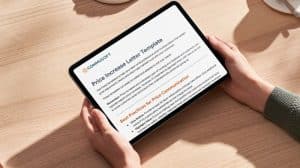
Download Your Payment Reminder Email Templates
When it comes to getting paid, it’s important to prepare for a variety of scenarios.
Payment reminder emails—particularly when they’re part of a payment workflow—can help you to cover your bases, making life easier for your team and increasing the odds you’ll get paid what you’re owed, with no fuss.
It’s important to prepare, then, and spend a little time setting up the templates your entire team can use as well as the processes needed to use them in different situations.
From better communication, to helpful insights, to getting paid on time: explore the templates we’ve created to help you.
For everything else, be sure to explore Commusoft and schedule a call if you’d like to speak to our team





 English (United States)
  English (UK)