Already using QuickBooks?
If it’s working for you—why change it? Commusoft’s QuickBooks Integration lets you continue to use leading, time-saving accounting tools for your company’s day-to-day transactions.


Keep the processes you already use
Commusoft partners with the biggest, most trusted names in the industry. In 2017, ViewPost found that 71% of SMBs who were using accounting software were using some form of QuickBooks.
This means that an overwhelming majority of Commusoft users can continue using the powerful, industry-leading accounting features they already depend on to manage their finances without missing a beat.
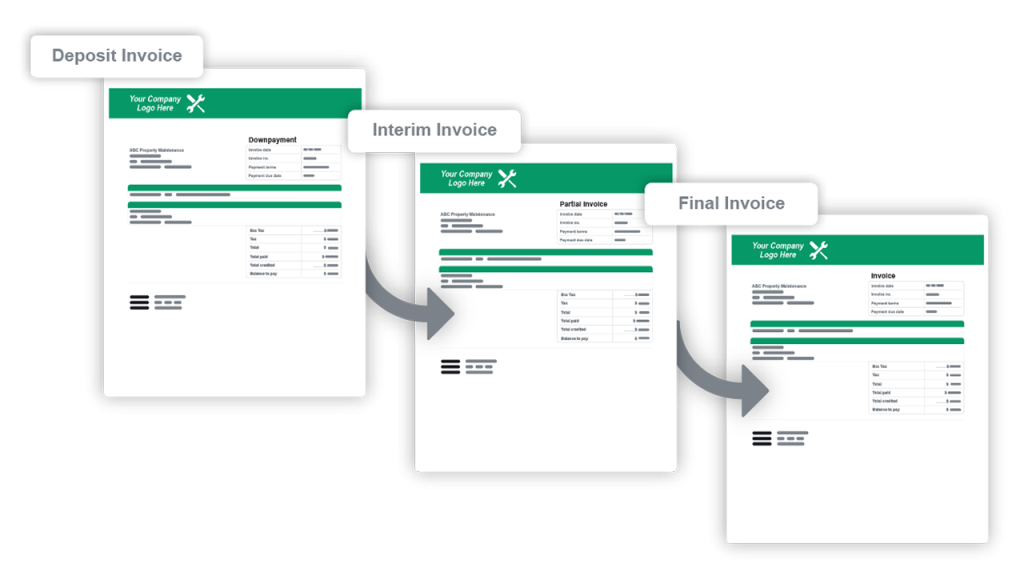
Get the Most From Quickbooks Online and Commusoft
Streamline your accounting tasks; when raising an invoice for a job in Commusoft, your accounting information automatically transfers to your QuickBooks accounting package. Your team can also import your existing contacts and financial data from QuickBooks into your Commusoft account, allowing your staff to see vital information straight from within the Commusoft app.
Take Control of Your Accounting Workflows
Efficiently manage the day-to-day accounting that powers your jobs and estimates with our powerful QuickBooks online integration. No More Double Data Entry, Commusoft will automatically send customers, invoices, payments, credit notes, suppliers, supplier invoices, supplier payments, and supplier credit notes.
A service invoice used to take 5 to 10 minutes, now it literally takes 30 seconds. We get invoices out much quicker and get paid faster too.”
Lisa , A & S Kingdon Ltd
 English (United States)
  English (UK)