
Commusoft, by the numbers
US generator dealerships, critical-power firms, and broader commercial electrical businesses run asset-heavy, high-liability operations.
With the increased demand, scope, and scale of their work, they need software tools they can rely on…
That means their chosen software platform must meet their everyday needs, but also have the capacity to grow with their business, too.
After all, as a company grows, basic dispatch and residential home-service tools will struggle with tasks like managing multi-stage installations, monitoring critical SLAs, and overseeing warehouse/van inventory.
While software platforms like Housecall Pro are well-known and do have strong scheduling capabilities, it’s limited for essential tools, like those mentioned above, which are required by generator dealerships working in the US.
If your business is looking at managing hundreds of recurring service contracts and thousands of parts across a large fleet of vans, all whilst using light software, you’ll find that the back-office will be under severe admin strain before very long and you’ll eventually need a stronger solution.
In this blog, we’ll cover why Commusoft stands out versus Housecall Pro as the best choice for generator dealers in the US.
Let’s dive in:

Comparison Overview: Commusoft vs Housecall Pro
Housecall Pro is a well-known, widely marketed platform that excels at straightforward data entry built around SMBs. Tools like job scheduling, online booking, and fast payments work well.
Overall, it’s often touted as being easy to use, with beneficial customer facing features that assist users with customer service whilst out in the field.
Software adoption is straightforward, too. They provide a few accessible pricing options, ranging from Basic, Essentials, and Max, which are built for individual users or for teams of up to 11+. Prices vary depending on the package and number of users you opt for, but there is a free trial and temporary discounts that can be appealing, too.
While these are certainly positives for smaller businesses looking for an affordable plan, if you’re approaching commercial installations or looking to grow your services, then it’s worth considering that Housecall Pro lacks the complexity needed to manage more complex field operations. It is optimised for smaller, residential focused businesses.
On the flipside, Commusoft is engineered specifically for technical trade operations in the US.
In addition to robust residential management tools, the software is an ideal match for standby generator dealerships that manage critical power equipment from brands such as Generac, Kohler, and Briggs & Stratton, to name a few.
Our software is capable of managing large, multi-trade teams of well up to and over fifty users, giving generator installers incredible scope for residential and commercial growth.
Technicians can capture granular asset data, while the back office manages clean lead-to-quote pipelines, and our powerful add-ons give you the option to enhance the software as it suits you.
Where Commusoft may not be a good fit:
Every software has its limitations and for Commusoft, it’s not designed for contractors who require substantial multi-year project management or heavy-duty civil construction projects. It is designed for generator installers and multi-trade businesses with expansive teams working in the office and out in the field.
While Housecall Pro has its benefits, only Commusoft is built around commercial generator installation and maintenance workflows. Our software is designed to give teams direct process control over generator asset history, PPM schedules, SLA clocks, offline digital forms, multi-location stock, and so much more.
Recognizing Housecall Pro’s Strengths: Where They Excel
Housecall Pro is a strong choice for residential focused businesses working in industries such as electrical, HVAC, pest control, and general handyman services, to name a few that are highlighted on their website.
Reviews for Housecall Pro report a low-friction when adopting the software, meaning it’s relatively accessible to set up. This will appeal to smaller residential trade businesses in particular, who aren’t looking for bloated software that could overcomplicate simpler workflows.
As we touched on earlier, Housecall Pro has useful customer-centric tools that help streamline communication. They also have growth & marketing tools that support the office in scheduling appointments. These include useful online booking widgets, review generation portals, and automated postcard/email drips for prospective jobs.
They have also implemented a fast home-service invoicing & payment solution. Their users speak of a highly polished mobile workflow for residential technicians that help them generate on-the-spot estimates, collect credit card payments, and dispatch residential jobs quickly. This is a highly positive and genuine perk versus some of their own competition, like Jobber.
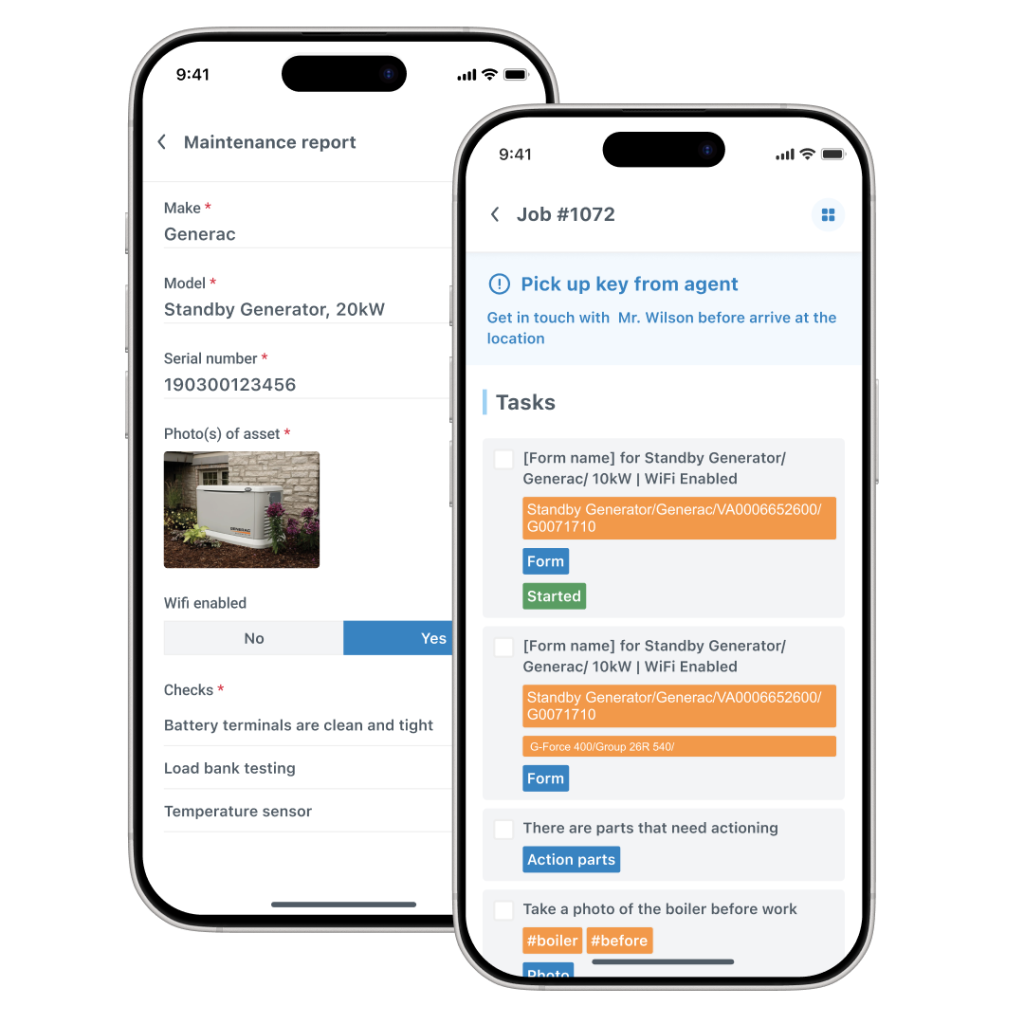
It’s worth mentioning that Commusoft also performs very well with its mobile app, supporting techs out in the field.
In summary, Housecall Pro is a great platform if your primary goal is winning and dispatching residential jobs.
But when your revenue shifts toward technical equipment installations, multi-site commercial contracts, warehouse inventory, and strict SLAs, this tool’s commercial side lacks the complexity required to manage bigger contracts, as it is primarily a residential-focused software solution.
If you are a predominantly commercial focused business, you may find yourself exploring operational workarounds and likely looking for an alternative software solution once you’ve outgrown Housecall Pro.
Why Choose Commusoft vs. Housecall Pro
Commusoft stands out because our software is built specifically for technical trade operations, especially generator installation and maintenance companies. Our platform is a very comfortable fit for plumbing, heating, and electrical trades businesses, too.
Commusoft’s core features connect office dispatch, field technicians, and accounting integrations into one platform. Our features are designed to fit existing needs of a trades business, but Commusoft also has the capacity to grow with a business, thanks to powerful add-ons.

We give generator dealerships total control over their daily operations, right out of the box, but our Sales+, Fleet+, and Analytics+ features (to name just a few optional add-ons) are advanced tools that build on Commusoft’s solid foundation to support your team in the office, out in the field, as well as your customers.
Our platform is all about providing businesses with the tools they need to do more work with less effort. Features empower teams to operate more efficiently so they can accomplish more work, save more time, and maximize income, without incurring substantial costs.
Deciding on the software you want to use comes down to understanding your own operational needs and exploring what each software offers.
We’ll break that down below.
How Commusoft is Built for Operational Precision
Commusoft provides a complete operational backbone designed specifically for asset-heavy commercial maintenance, complex installations, and technical trade service.
Commusoft Core means we provide clients with a complete out-of-the-box solution that connects office dispatch, field technician mobile workflows, multi-location stock, customer communication, and more, all into one single software.
What’s especially powerful is the way in which Commusoft is designed to grow with your business. We don’t restrict services by removing useful tools: our Core plan has everything you need to manage your business.
What sets us apart from competitors like Housecall Pro is our modular growth architecture.

The Core functionality (dispatch, offline forms, inventory, asset records, etc.) lets you manage every day without issue, but our add-ons means you can grow confidently with Commusoft thanks to our powerful add-ons.
These are optional extensions that allow you to add extra power when you need it.
Baseline trade features your industry needs aren’t locked behind enterprise paywalls, but readily available for you, when you need them.
Where Commusoft Excels
Commusoft excels in many ways, but here are five we’d like to focus on here. For more information, consider giving us call to speak with a sales representative:
Signal-Dead Offline Mobile Reliability
Field technicians frequently service equipment in subterranean utility basements, concrete plant rooms, and remote rural properties without cellular signal. Commusoft’s app works offline, meaning your techs can continue to collect and use job details, complete custom safety checklists, capture photos, log parts, and collect signatures completely offline—auto-syncing seamlessly once connectivity returns.
Native Multi-Location Inventory vs. Third-Party Integrations
When you’re dealing with a huge fleet of vans and a large number of staff out on the road, you need to know where staff and your parts are. After all, untracked parts can impact profit margins and reduce first-time fix rates if no one knows where they’re stored.
Commusoft helps you manage stock across main warehouses and individual technician vans. Parts logged on site update live and reconcile vendor invoices to POs. Tracking parts can bring costs down and make it far easier to know who is using what, where, and when.

Automated Contract Management
Managing hundreds of recurring service agreements manually leads to missed visits and can take up valuable admin time. Commusoft can automate the complete lifecycle of a contract, auto-generating recurring work orders and invoices on custom schedules (monthly, quarterly, annually).
With contracts managed in Commusoft, you can more reliably track recurring revenue and pursue new opportunities with very little effort, but huge positive financial impact!
Deep Asset Hierarchy
Commercial service requires tracking specific sub-assets across multi-site customer accounts. With Commusoft, field techs can pull up an asset’s full chronological service history, manuals, past load-bank tests, and open recommendations instantly.
With all this information in the palm of their hands, worksites can be accessed faster, jobs completed quickly, and information shared widely so everyone is on the same page.
Cash-Flow Protection
With Commusoft’s accounting integrations, you can handle billing, deposits, and invoices with ease.
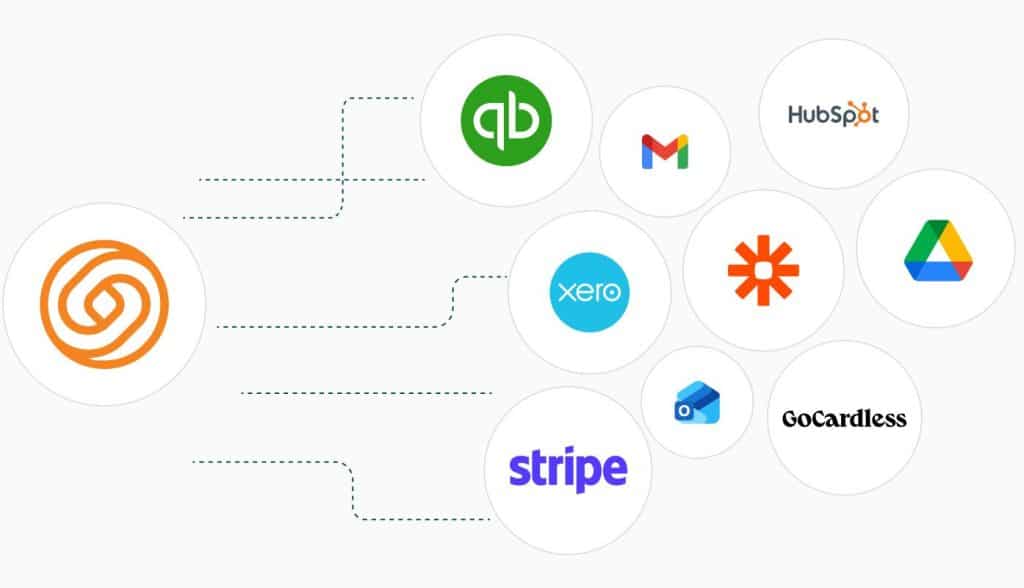
Whether it’s a one-off invoice for a job, or a contracted agreement, advanced integrations with Xero & Quickbooks can streamline finance management.
And payment tools like Stripe and GoCardless enhance the way you take payments and keep cash flow smooth.
Discover more integrations, here!
Success Stories with Commusoft
It’s worth listening to Commusoft’s customers when it comes to discussing our software.
It’s great being able to sit down in the morning and know exactly where the company and everyone is at in under five minutes
Eel River Generators, Owner, Brady Rockwell

Discover ERG’s full testimonial, here.
Tools like custom digital forms have helped electrical contractors in lots of ways.
They show a commitment to bolster customer success and provide businesses with an easy way to obtain useful data.
For Collicutt Energy, their owner, Cody Collicut said:
[Commusoft] improved the quality control of our organization.

Read Collicut Energy’s full testimonial.
Speaking of reviews, it’s worth saying that Housecall Pro has a 4.3 and 4.7 star rating on G2 and Capterra respectively, but has generated 2.6 stars on Trustpilot.
Here, users cite frustrations with software bugs, scheduling delays, and a lack of customer support, so it’s worth exploring these reviews when investigating the software, too.
In contrast, Commusoft has 4.8, 4.7 and 4.2 stars across G2, Capterra, and Trustpilot respectively.
Commusoft vs. Housecall Pro: An Operational Choice
Choosing field service management software comes down to evaluating your business model: are you organizing individual residential jobs, or managing a complex trade operation?
If your primary focus is winning and dispatching quick residential calls with automated consumer marketing then Housecall Pro offers an easy-to-use entry point.
However, if you run a growing technical service business that demands offline mobile reliability, native van inventory control, and more of what we’ve discussed above, Commusoft delivers the operational engine your business needs to scale.
Book a call with us today to find out for yourself:







 English (United States)
  English (UK)