The Command Center for Your Entire Field Service Operation
Master your workflow with Commusoft’s powerful Job Tracking software. Manage your entire business from a single screen, from scheduling via your job dashboard, to invoicing.

Streamline Your Operations, from Call to Invoice
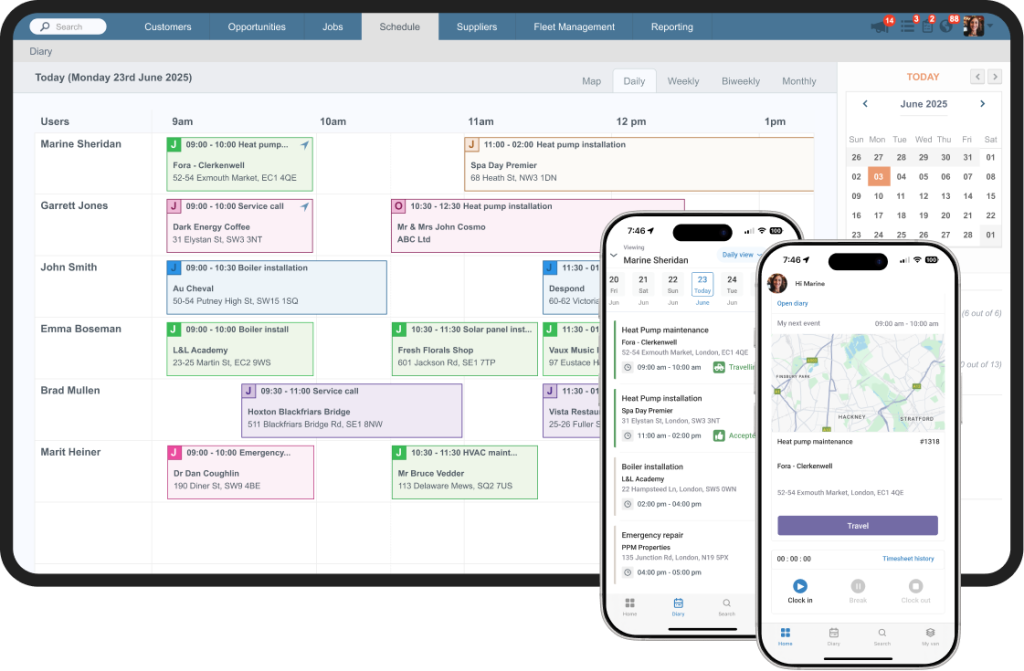
Gain Complete Visibility
Instantly see the status of your entire operation from the central job dashboard. Know where your technicians are, what jobs are in progress, and what needs your immediate attention.
With customizable job views, you can tailor the dashboard to show the information that matters most to you and your role.
Automate Field Workflows
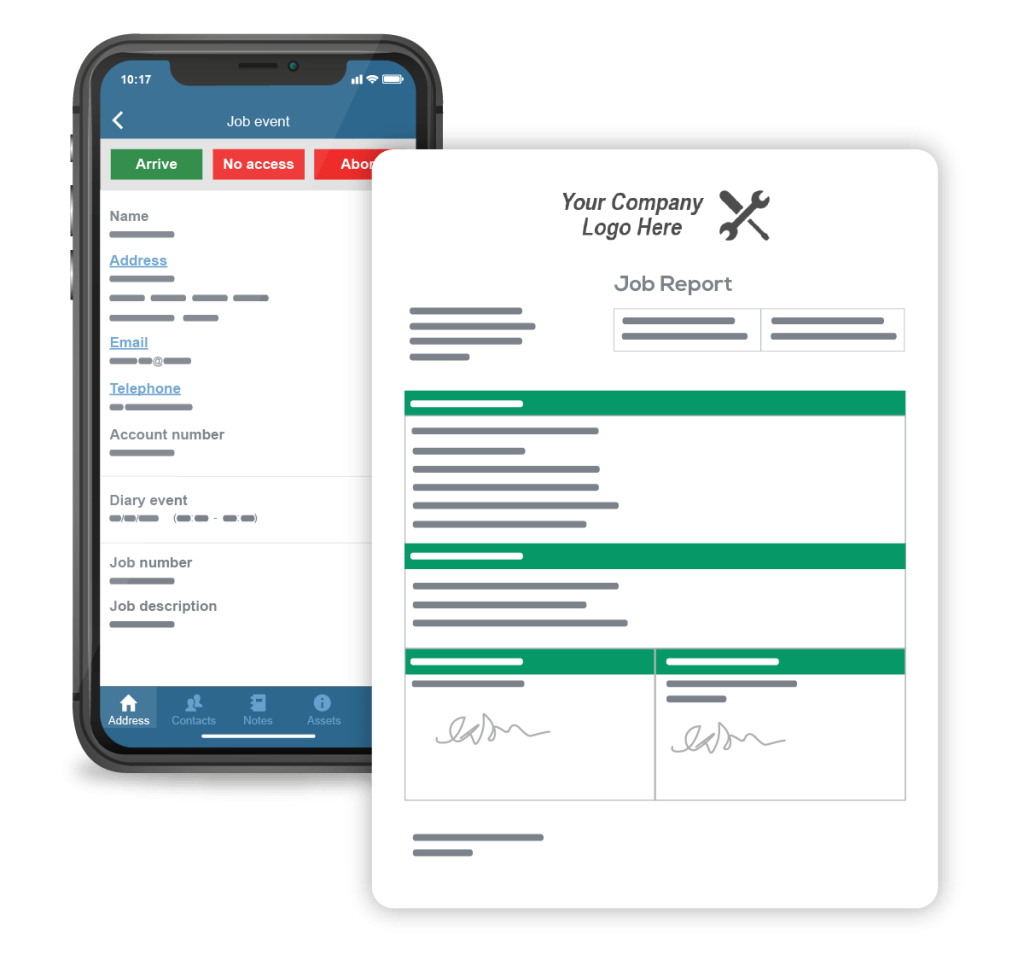
As the job progresses, information and job status (traveling, on-site, work completed) are updated in real-time. With our automated job workflow, technicians can update their status with a single tap on their mobile device. Plus, they can be tracked via vehicle tracking, giving your office team live, accurate information and freeing everyone to focus on more productive tasks.
Enhance Customer Experience
Deliver a professional service that impresses your clients. Commusoft’s integrated customer communication tools, enhanced by AI:den, can automatically send appointment reminders, on-the-way alerts with technician details, and follow-up messages. This keeps your customers informed and reduces the number of inbound calls to your office.
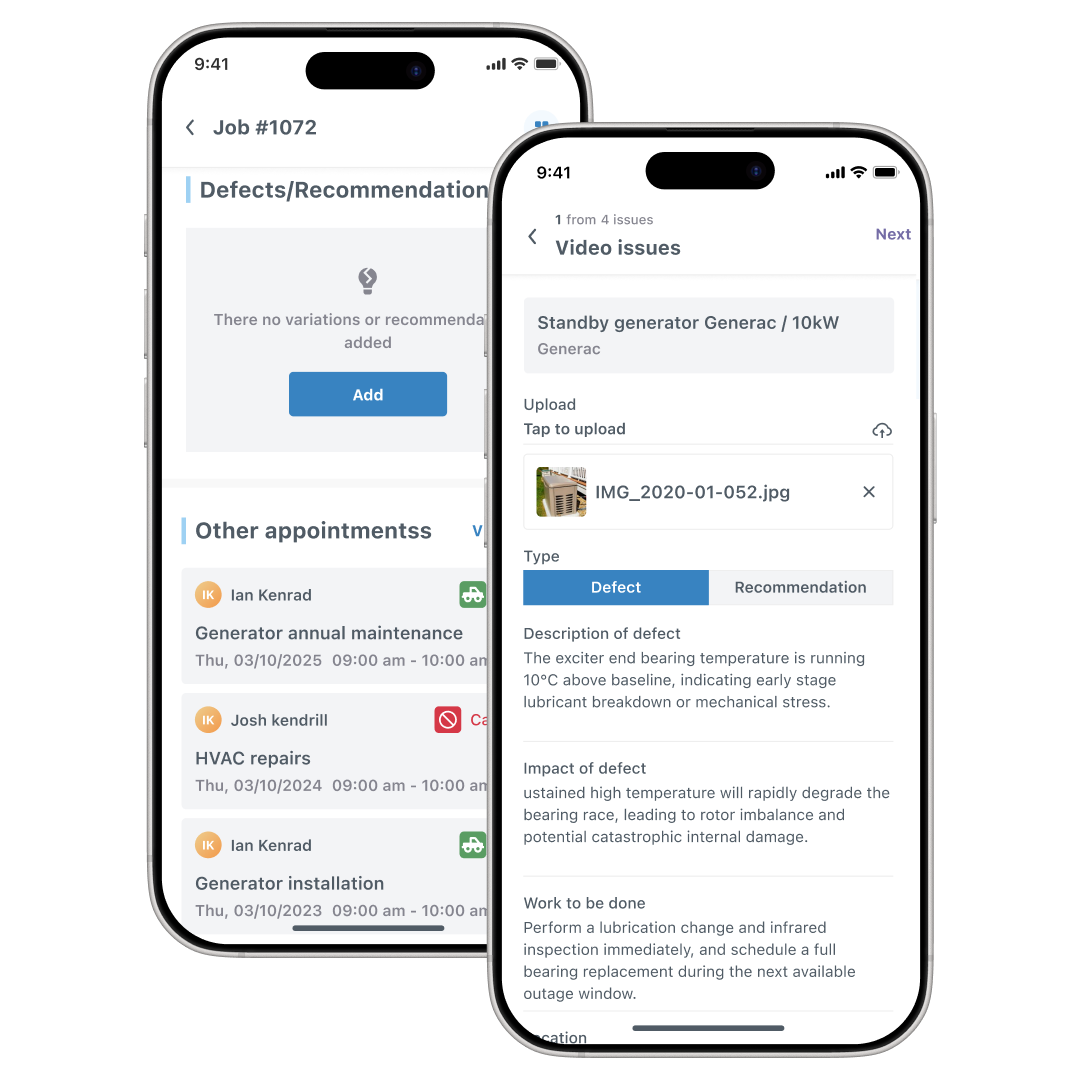
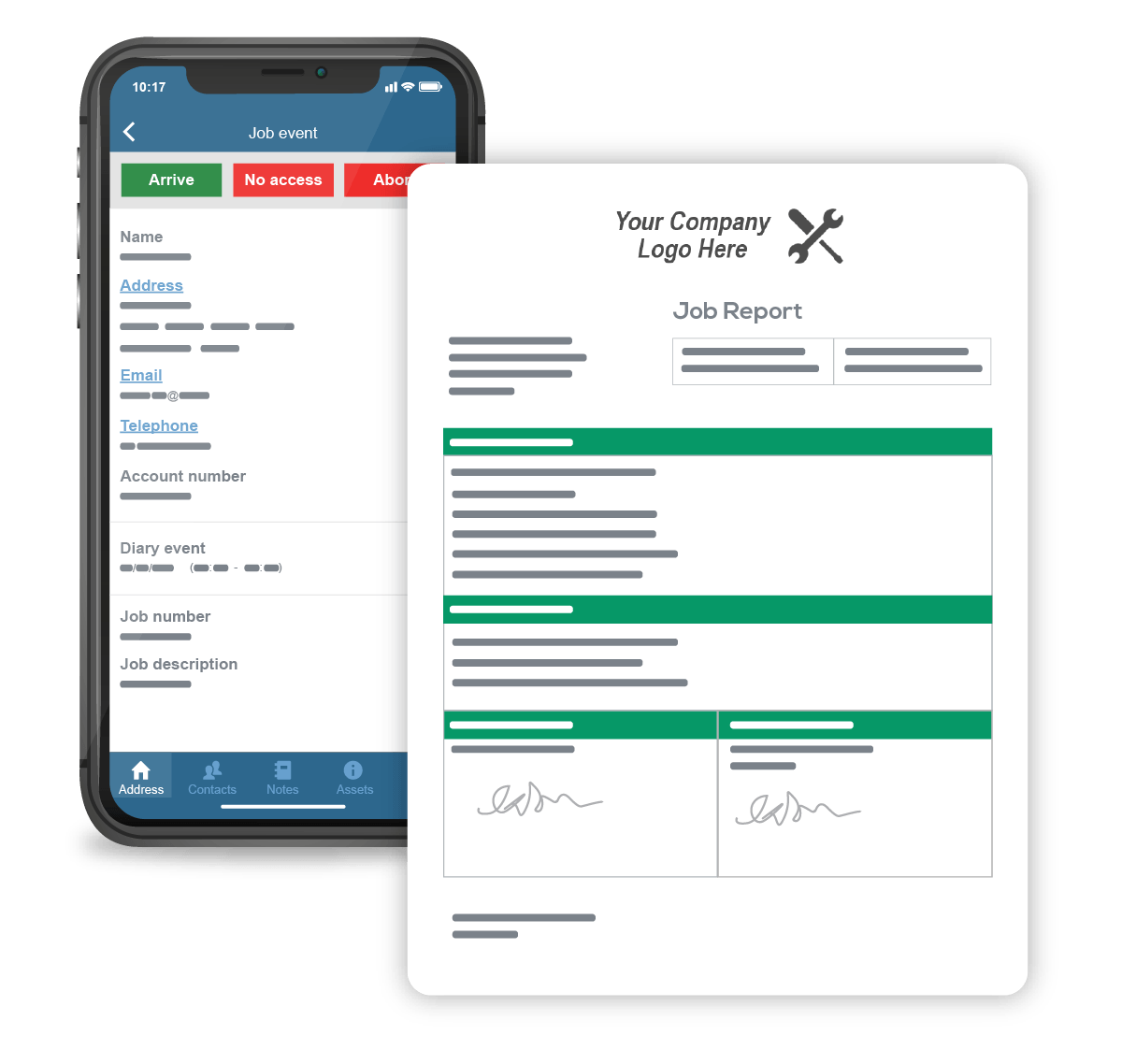
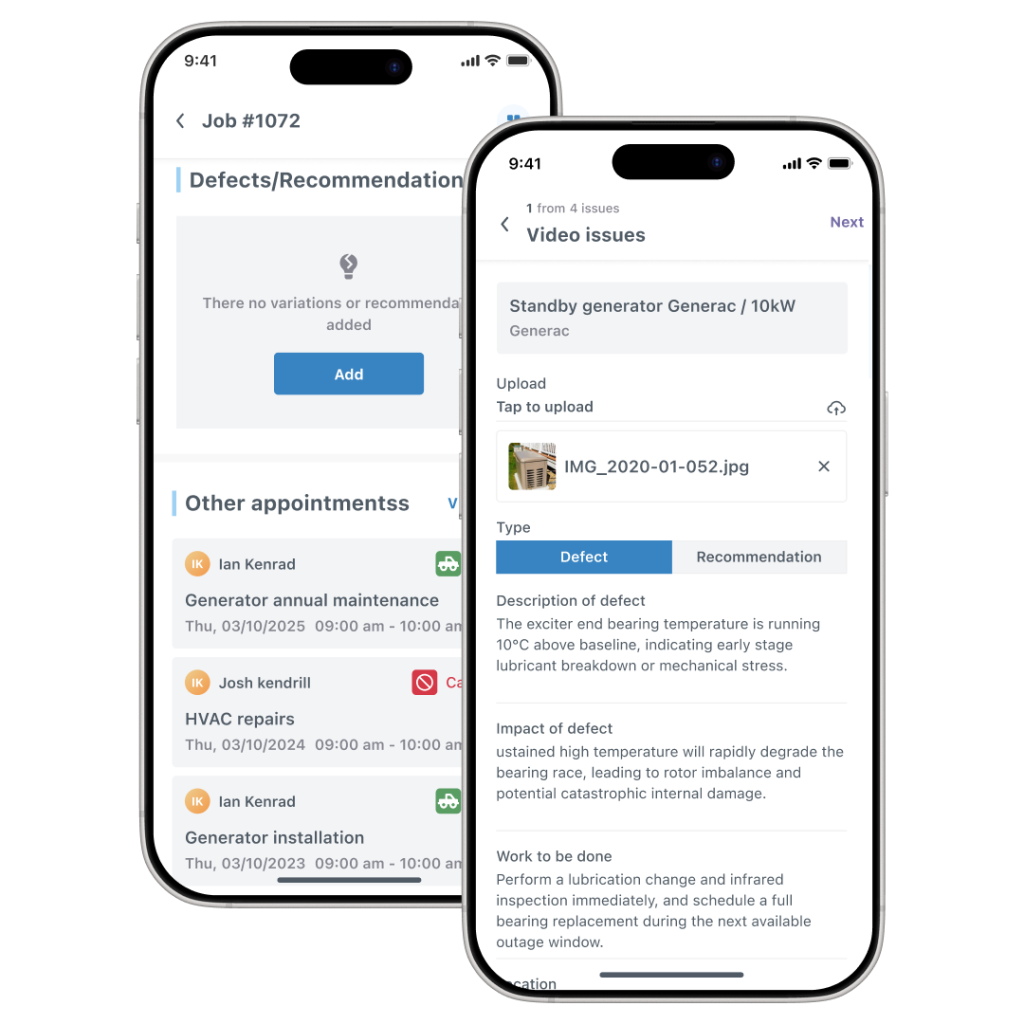
AI:den’s job reports streamline the field-to-office information flow, making technicians’ lives easier by capturing all necessary details efficiently; building a solid, accessible job history against specific equipment and properties, providing valuable insights for future service and maintenance.

Gain Complete Visibility
Instantly see the status of your entire operation from the central job dashboard. Know where your technicians are, what jobs are in progress, and what needs your immediate attention.
With customizable job views, you can tailor the dashboard to show the information that matters most to you and your role.

Automate Field Workflows
As the job progresses, information and job status (traveling, on-site, work completed) are updated in real-time. With our automated job workflow, technicians can update their status with a single tap on their mobile device. Plus, they can be tracked via vehicle tracking, giving your office team live, accurate information and freeing everyone to focus on more productive tasks.
Enhance Customer Experience
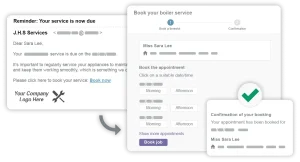
Deliver a professional service that impresses your clients. Commusoft’s integrated customer communication tools, enhanced by AI:den, can automatically send appointment reminders, on-the-way alerts with technician details, and follow-up messages. This keeps your customers informed and reduces the number of inbound calls to your office.
AI:den’s job reports streamline the field-to-office information flow, making technicians’ lives easier by capturing all necessary details efficiently; building a solid, accessible job history against specific equipment and properties, providing valuable insights for future service and maintenance.
Instantly see the status of your entire operation from the central job dashboard. Know where your technicians are, what jobs are in progress, and what needs your immediate attention.
With customizable job views, you can tailor the dashboard to show the information that matters most to you and your role.
As the job progresses, information and job status (traveling, on-site, work completed) are updated in real-time. With our automated job workflow, technicians can update their status with a single tap on their mobile device. Plus, they can be tracked via vehicle tracking, giving your office team live, accurate information and freeing everyone to focus on more productive tasks.
Deliver a professional service that impresses your clients. Commusoft’s integrated customer communication tools, enhanced by AI:den, can automatically send appointment reminders, on-the-way alerts with technician details, and follow-up messages. This keeps your customers informed and reduces the number of inbound calls to your office.
AI:den’s job reports streamline the field-to-office information flow, making technicians’ lives easier by capturing all necessary details efficiently; building a solid, accessible job history against specific equipment and properties, providing valuable insights for future service and maintenance.
Master Your Workflow with a Visual Job Pipeline
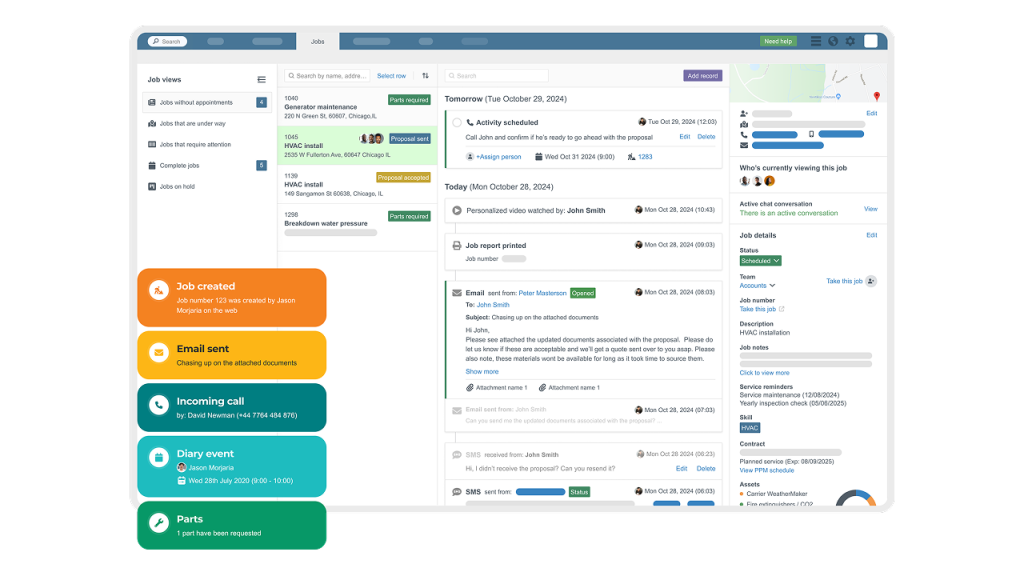
Never let a job slip through the cracks again. The visual job pipeline allows you to track every job as it moves through each stage of your process, from initial booking and Scheduling to work in progress, completion, and Final Invoicing. This clear, intuitive view ensures a smooth handoff between your field and office teams and helps you identify bottlenecks before they become problems.

What we loved was the flow of information when the guys are recording real-time updates. From the time they're accepting the job, traveling to site, arriving at site... having that all verified and signed for... That's been a real game changer.
Optimize Your Fleet with Integrated Vehicle Tracking
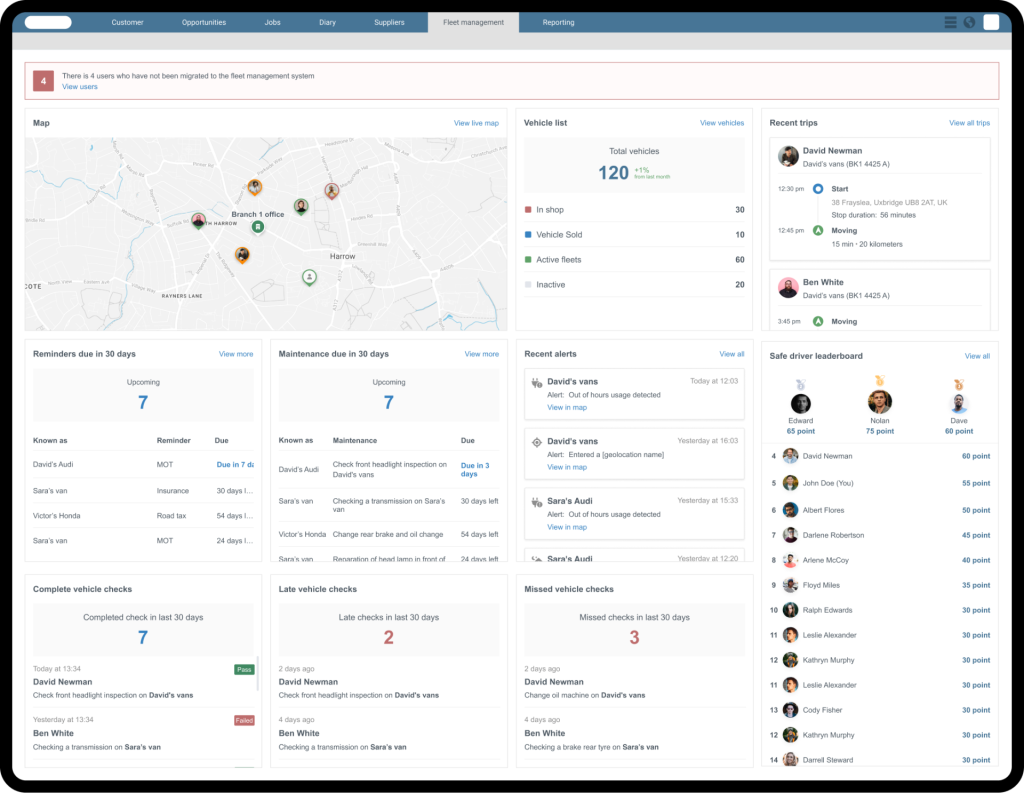
Gain a real-time view of your fleet to improve efficiency and accountability. Our Integrated Vehicle Tracking helps you make smarter scheduling decisions by dispatching the closest technician to an emergency job. You can also monitor driving behavior to promote safety, reduce fuel costs, and have a complete record of your vehicles’ activity throughout the day.
With Total Visibility, Decisions are Simpler
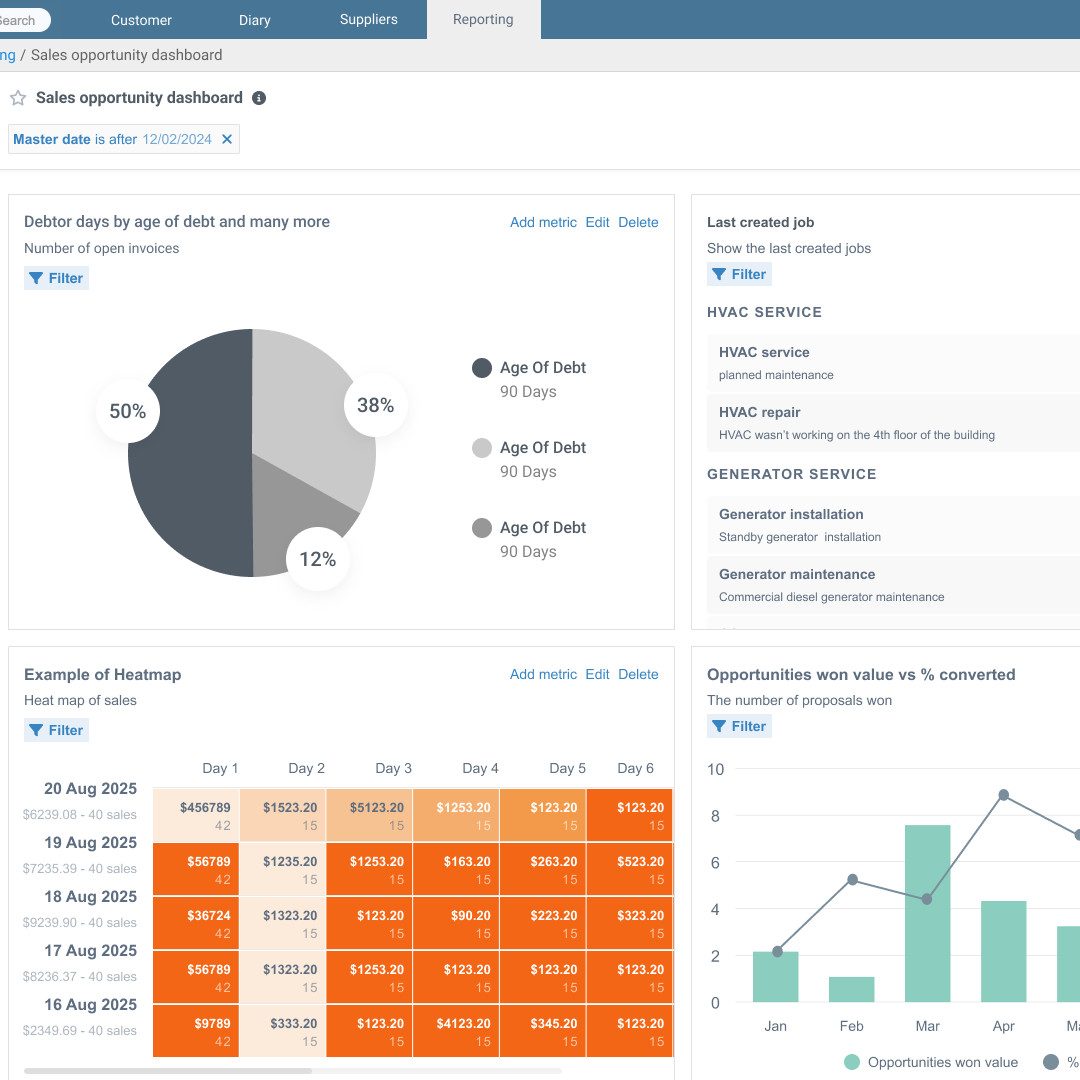
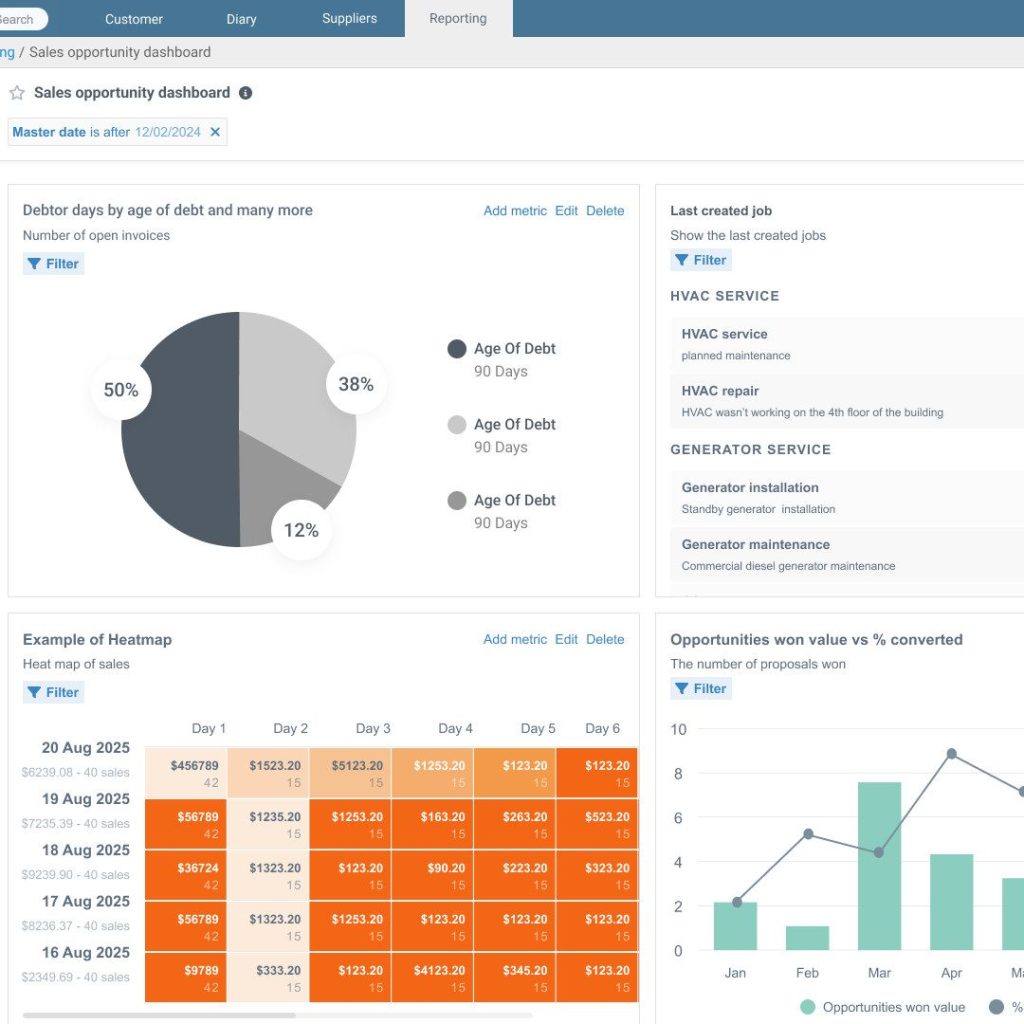
Go beyond basic tracking with long and short-term trend analysis by technician, job type, and custom metrics.
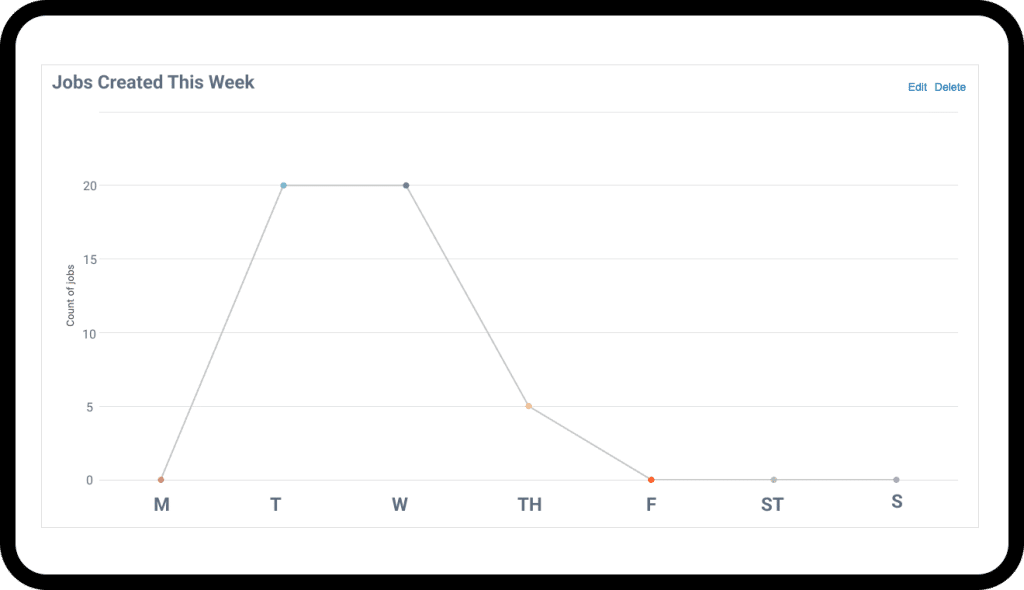
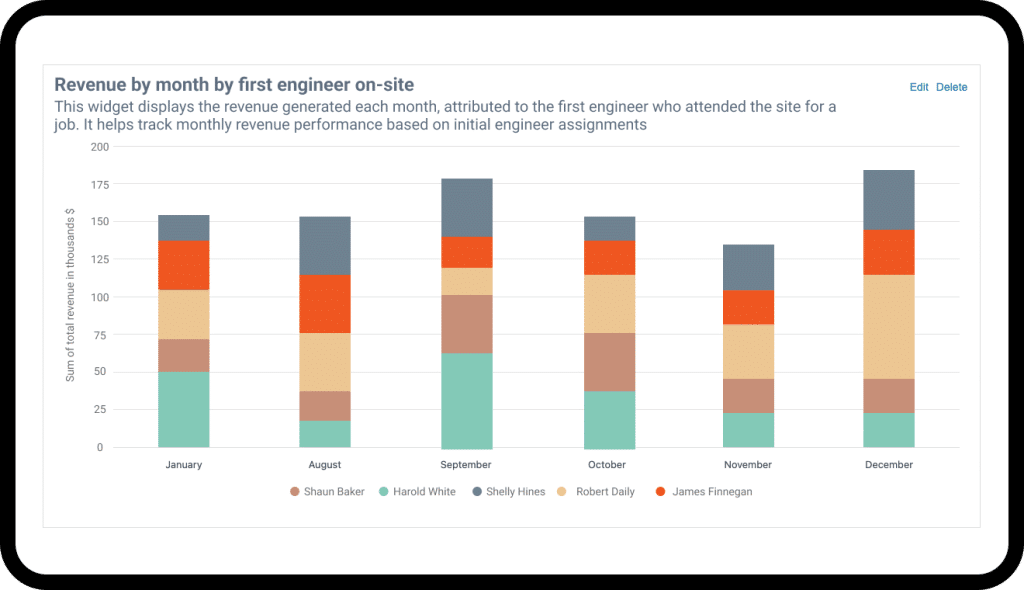
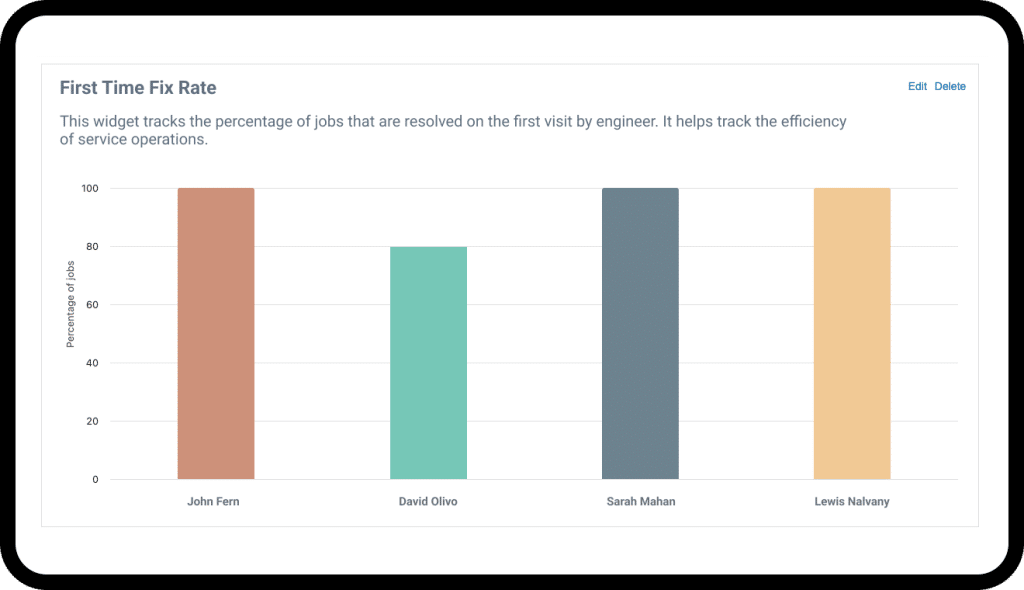
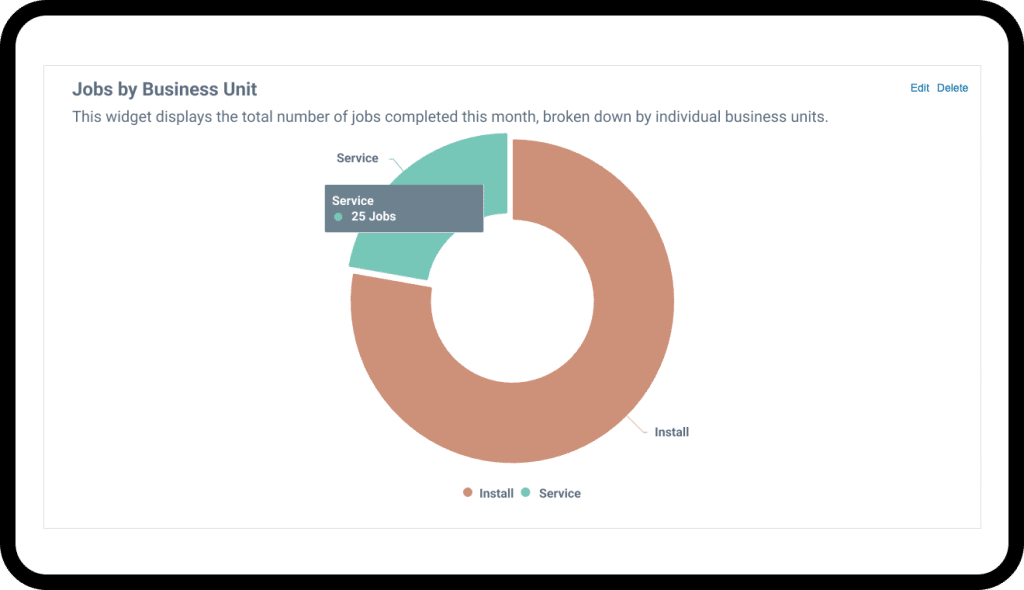
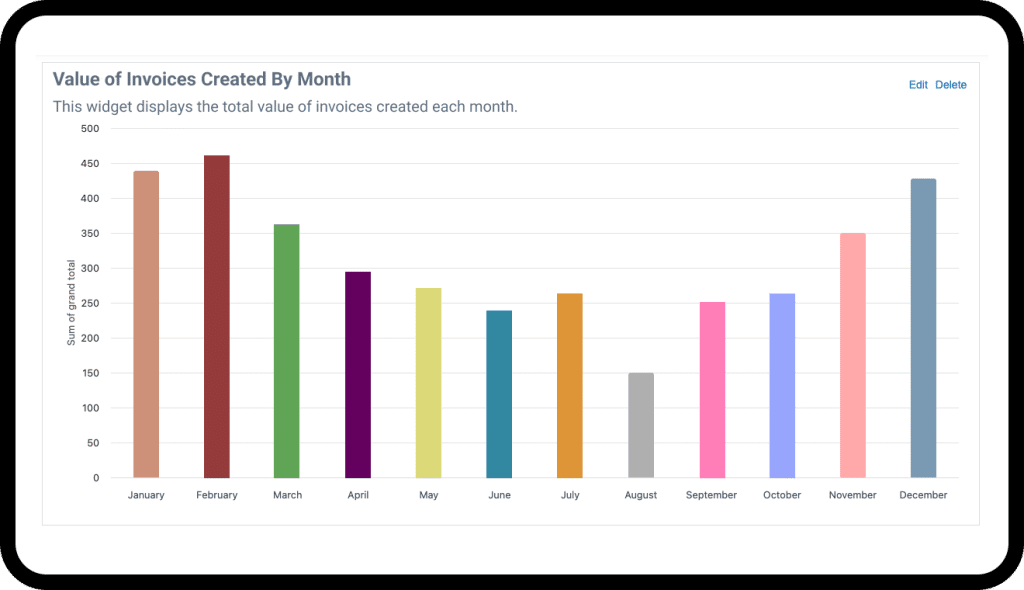
Move beyond basic spreadsheets and start seeing how your business really performs in the field and on the road.

Get the power of complex enterprise reporting without the implementation bloat or "clinical" delays.
Learn why your business succeeds in some areas, and struggles in others, whether that’s first-time fix rates by tech, or other deep reporting insights.

Identify hidden revenue patterns and operational bottlenecks before they impact your bottom line.
Your Command Center for Total Operational Control
Track every work order from start to finish with our core job tracking software. Gain complete visibility over scheduling, dispatch, and execution for unmatched efficiency.
Key Tools for Operational Excellence
FAQs
How does this software help me manage my technicians in the field?
Commusoft gives you a complete toolkit for field management. You can dispatch jobs to their mobile devices, see their real-time status via the job arrival/leave workflow, and know their location with integrated vehicle tracking. They have all the job history and customer information they need, and they can feed live updates back to the office, ensuring everyone is in sync.
Can I customize the dashboard to see what's important to me?
Yes. We understand that different roles require different information. That’s why we offer customizable job views. You can configure your job dashboard to highlight the key metrics and job statuses that are most relevant to you, whether you’re a dispatcher, a manager, or the business owner.
How does job tracking improve my invoicing?
It makes invoicing faster and more accurate. Because all the job details, like parts used and labor time recorded through the job arrival/leave workflow, are captured digitally in one system, you can generate a precise, itemized invoice with a single click. This eliminates manual data entry, reduces billing errors, and ensures you’re charging correctly for all the work you’ve done.
Simplify your workflow. Start your free trial today.
Commusoft is a versatile field service software that helps businesses streamline job conversions, optimise scheduling, and enhance customer service.
Commusoft needs the information you provide to contact you about our services. You may unsubscribe from communications at any time. For details, please see our Privacy Policy.

 English (United States)
  English (UK)